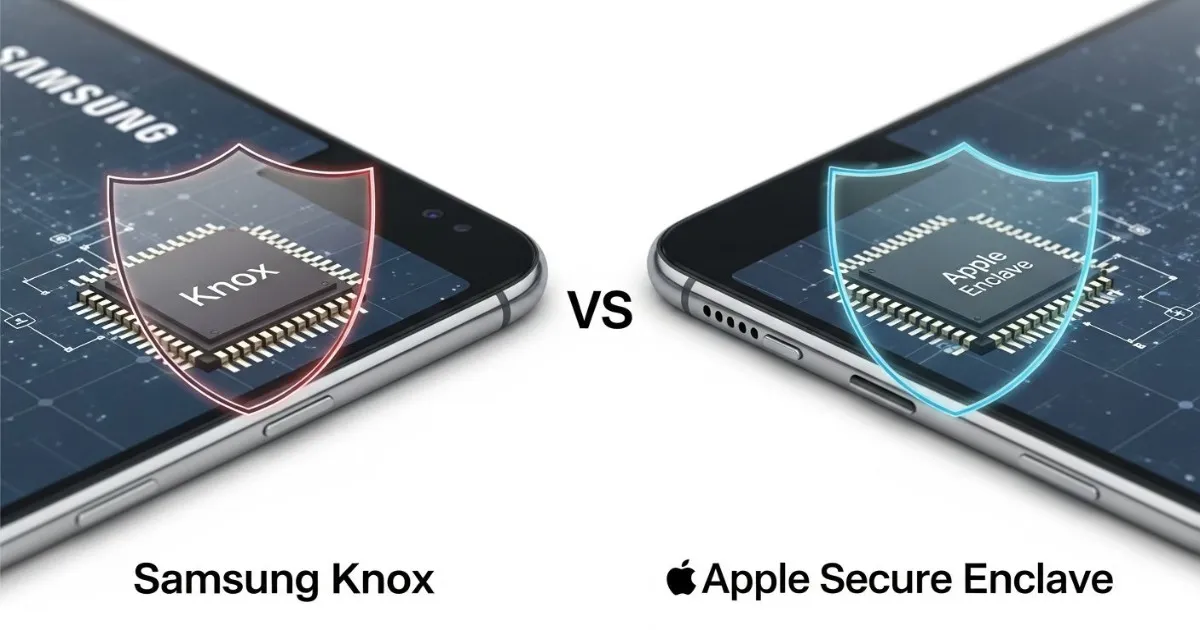
This analysis is based on official security documentation from Apple and Samsung, technical white papers, and hardware security research published between 2020–2026.
Imagine your smartphone as a digital fortress. Behind its glass screen lies not just your photos and messages, but your financial accounts, biometric identity, private conversations, and sometimes your entire professional life. Now imagine two different architects building two different fortresses—one designed by a company that controls every brick and every blueprint, another built by a company that must assemble components from multiple suppliers while adding its own reinforced walls.
This is essentially the difference between Apple's Secure Enclave and Samsung's Knox platform. Both represent the gold standard in consumer mobile security. Both use hardware-level isolation to protect your most sensitive data. But they achieve this protection through fundamentally different approaches, with different trade-offs in security, flexibility, and control.
Understanding these differences matters because your choice of phone determines how your data is protected when the device is lost, when malware attempts to breach the system, or when someone with physical access tries to extract your information. This guide explains both technologies in detail, compares their architectures, and helps you understand what each means for your personal security.
Quick Summary
Apple Secure Enclave is a dedicated coprocessor with its own secure boot ROM, AES engine, and protected memory. Samsung Knox evolved from TrustZone-based isolation to Knox Vault—a physically separate secure subsystem with anti-tamper sensors. Both provide excellent hardware-level protection, but with different architectures and enterprise features.
Part 1: The Foundation—Why Hardware Security Matters
Before comparing specific implementations, it helps to understand why hardware-level security has become essential rather than optional.
Software-only security has fundamental limitations. If the main operating system is compromised—by malware, a zero-day exploit, or a malicious app—anything the OS can access becomes available to the attacker. Passwords stored in software can be read. Encryption keys kept in memory can be stolen. Even biometric data processed by the main processor becomes vulnerable.
Hardware security solves this by creating isolated execution environments that remain protected even if the main operating system is completely compromised. These secure subsystems have their own processors, their own memory, and their own boot processes. They don't trust the main OS. They don't share resources with the main OS. They operate as independent fortresses within the device, accessible only through tightly controlled interfaces.
This isolation enables several critical protections:
- Biometric data never leaves the secure environment. When you unlock your phone with your face or fingerprint, the actual biometric comparison happens entirely within the secure hardware. The main OS never sees your raw biometric data—only a yes/no answer about whether the authentication succeeded.
- Encryption keys remain inaccessible. The keys that decrypt your device, protect your files, and secure your communications never exist in main system memory where malware could steal them. They're generated, stored, and used exclusively within the secure hardware.
- Authentication attempts are rate-limited. Hardware-enforced timeouts after failed attempts make brute-force attacks impractical. An attacker with physical possession of your device cannot simply try thousands of passcode combinations—the secure hardware imposes delays that would make such attempts take years or decades.
- Physical tampering triggers destruction. Advanced secure hardware includes sensors that detect attempts to probe, freeze, or manipulate the chip. When tampering is detected, the secure hardware can automatically wipe its contents, ensuring that even sophisticated laboratory attacks fail.
Both Samsung Knox and Apple Secure Enclave implement these principles, but they do so with different architectures, different histories, and different philosophical approaches.
Part 2: Apple Secure Enclave—The Dedicated Coprocessor
Architecture and Design
The Secure Enclave is a dedicated hardware subsystem integrated into Apple's system-on-a-chip (SoC) designs, present in every iPhone, iPad, Mac with Apple silicon, and other modern Apple devices. It is not a software feature or a virtualization layer—it is a physically separate processor with its own secure boot ROM, its own AES encryption engine, and its own protected memory region.
This separation is fundamental to its design. The Secure Enclave Processor runs independently from the main application processor (the CPU that runs iOS). It operates at a lower clock speed specifically to protect against clock-based and power-based attacks. It has direct access to dedicated hardware random number generators and cryptographic engines that never expose their keys to software.
The Secure Enclave doesn't have its own dedicated storage. Instead, it uses a protected region of the device's main DRAM memory, but with multiple layers of hardware protection. When the Secure Enclave writes to its memory region, the Memory Protection Engine automatically encrypts each block using AES and calculates an authentication tag. When it reads memory, the engine verifies the tag before decrypting. If the authentication fails—indicating tampering—the Secure Enclave stops accepting requests until the system reboots.
On Apple A14, M1, and later chips, the Memory Protection Engine supports two ephemeral memory protection keys: one for data private to the Secure Enclave, and another for data shared with the Secure Neural Engine. This enables secure collaboration between secure components while maintaining isolation.
Secure Boot and Root of Trust
Every Secure Enclave begins with immutable code in its dedicated Boot ROM. This code is laid down during chip fabrication and cannot be modified—it establishes the hardware root of trust. When the device starts, the Secure Enclave Boot ROM initializes the Memory Protection Engine, then verifies the cryptographic signature of the sepOS (Secure Enclave operating system) image before loading it. Only properly signed Apple code ever executes on the Secure Enclave processor.
On A13 and later SoCs, the Secure Enclave includes a Boot Monitor that adds additional integrity verification. Throughout the boot process, the Boot Monitor maintains a running hash of everything loaded, and this final hash is used to bind operating system keys to the exact boot state. This design ensures that even if someone found a vulnerability in the Boot ROM, they couldn't bypass operating system key binding.
Unique Device Identity
Each Secure Enclave contains a unique ID (UID) fused into the chip during manufacturing. On A9 and later devices, the UID is actually generated by the Secure Enclave's own random number generator during manufacturing and written to fuses through a process that runs entirely within the Secure Enclave. This means the UID is never visible outside the device—not during manufacturing, not to Apple, not to anyone.
The UID is used to cryptographically tie data to a specific device. When the file system encrypts files, the key hierarchy includes the UID, meaning that if someone physically removes the storage from one device and attaches it to another, the files remain unreadable. The UID also protects Face ID, Touch ID, and other device-specific secrets.
A device group ID (GID) is common to all devices using the same SoC, enabling certain system-level functions without compromising per-device uniqueness.
AES Engine and Cryptographic Operations
The Secure Enclave includes a dedicated AES hardware engine designed to resist timing attacks, static power analysis, and—on A9 and later—dynamic power analysis. This engine supports both hardware keys (derived from UID or GID) and software keys, but hardware keys never leave the AES engine. Software can request encryption operations, but cannot extract the keys themselves.
On A10 and newer SoCs, the AES engine includes lockable seed bits that diversify keys based on the device's mode of operation. For example, this prevents access to password-protected data when booting in Device Firmware Update (DFU) mode, ensuring that even Apple's own recovery tools cannot extract user data.
What the Secure Enclave Protects
The Secure Enclave handles the most sensitive data on the device:
- Biometric data: Face ID and Touch ID enrollment templates never leave the Secure Enclave. When you authenticate, the sensor captures your biometric, and the comparison happens entirely within the Secure Enclave. The main OS receives only a success/failure result.
- Cryptographic keys: The keys that protect your file system, your Keychain items, and your Apple Pay payment information are generated and used within the Secure Enclave.
- Passcode verification: When you enter your device passcode, it's verified by the Secure Enclave, which enforces increasing timeouts after failed attempts to prevent brute-force attacks.
- Secure boot attestation: The Secure Enclave participates in attesting that the device has booted correctly, enabling services like Apple Pay to trust that the device hasn't been compromised.
Part 3: Samsung Knox—A Comprehensive Security Platform
The Knox Philosophy
Samsung Knox is not a single component but an entire security platform that spans hardware, firmware, and software. Unlike Apple's approach of building the entire stack from scratch, Samsung builds Knox as a hardened security layer on top of the Android Open Source Project, adding proprietary protections at every level.
This philosophical difference reflects the broader Android ecosystem. Apple controls the silicon, the operating system, and everything in between. Samsung must work with multiple SoC suppliers (Qualcomm and Samsung's own Exynos) while providing consistent security across devices. Knox is the solution: a comprehensive set of security features that create a trusted environment regardless of the underlying hardware variations.
The Foundation: ARM TrustZone
At the hardware level, Knox initially relied on ARM TrustZone technology, which divides the main processor into two "worlds": the normal world (running Android) and the secure world (running trusted applications). This provides logical isolation—sensitive operations execute in the secure world while sharing the same physical CPU core with the normal world.
The TrustZone approach has proven effective for many years, protecting fingerprint data, cryptographic keys, and secure payments. However, because the secure world shares processor resources with the normal world, it can theoretically be vulnerable to certain side-channel attacks if an attacker can monitor resource usage patterns.
The Evolution: Knox Vault
Starting with the Galaxy S21 series, Samsung introduced Knox Vault—a significant evolution that moves from logical isolation to physical isolation. Knox Vault is a completely independent secure subsystem with its own processor, its own memory (SRAM), its own ROM, and its own dedicated secure storage.
This represents a fundamental architectural shift. While TrustZone shares the main application processor, Knox Vault operates entirely separately. It has its own secure boot chain, its own firmware, and its own hardware-enforced protections. Even if the main Android operating system is completely compromised—kernel, system apps, everything—the attacker cannot access data inside Knox Vault because there is no shared execution environment.
Knox Vault includes multiple physical security sensors:
- Temperature detectors monitor for extreme heat or cold that might indicate an attempt to manipulate the chip
- Voltage detectors watch for power glitches designed to cause faults
- Laser detectors can sense when someone is probing the chip surface with focused light—a common technique in advanced hardware attacks
If any detector triggers, Knox Vault can automatically wipe its contents, ensuring that even sophisticated laboratory attacks fail.
Knox Vault Architecture
The Knox Vault subsystem consists of two main components:
Knox Vault Subsystem (integrated into the SoC) contains:
- The Knox Vault Processor, physically separate from the main CPU cores
- Dedicated SRAM for secure execution
- ROM containing immutable boot code
- Hardware security sensors and monitors
- A dedicated cryptographic engine
- A true random number generator
Knox Vault Storage (a separate integrated circuit outside the SoC) provides:
- Non-volatile NOR flash memory for storing sensitive data
- Its own secure processor for managing storage operations
- Its own cryptographic engine
- Its own hardware monitors that can wipe storage if tampering is detected
The two components communicate over a dedicated I2C bus with all traffic encrypted and authenticated, including protections against replay attacks.
What Knox Vault Protects
Knox Vault stores the most sensitive data on Samsung devices:
- Biometric data: Fingerprint and iris templates are stored encrypted in Knox Vault Storage, using keys that never leave the Knox Vault Processor.
- Cryptographic keys: Hardware-backed Android Keystore keys, blockchain credentials, and the Knox Device Health Attestation Key (SAK) are protected within Knox Vault.
- Authentication credentials: Samsung Weaver, a component running on the Knox Vault Processor, handles secure password authentication with hardware-enforced exponential back-off timers to prevent brute-force attacks.
- Lock screen secrets: The data needed to verify your PIN, pattern, or password resides in Knox Vault, protected by the same anti-tampering mechanisms.
StrongBox Keymaster
Knox Vault implements the Android StrongBox Keymaster, a hardware-backed key management module that supports various cryptographic algorithms. Applications can use the Android Keystore API to generate keys in StrongBox, and those keys are encrypted with the Knox Vault's unique key. This ensures that keys generated on one device cannot be used elsewhere—they're permanently tied to that specific Knox Vault hardware.
Real-Time Kernel Protection (RKP)
Beyond hardware isolation, Knox includes Real-Time Kernel Protection, which runs a security monitor in an isolated environment to continuously verify the integrity of the operating system kernel. RKP intercepts critical kernel actions and blocks any attempt to gain root privileges or modify system permissions before execution can occur. This provides runtime protection against zero-day exploits that might otherwise compromise the kernel.
The Knox Warranty Bit (e-Fuse)
One of Knox's most distinctive features is the hardware fuse—a one-time programmable bit that permanently records whether the device has been tampered with. If a user unlocks the bootloader, flashes unauthorized firmware, or performs rooting, this fuse is physically blown from 0x0 to 0x1. The change is irreversible—even if the official system is restored, the fuse remains permanently tripped.
For enterprises, a blown fuse indicates that the device's chain of trust has been broken. Such devices lose access to Samsung Pay, Samsung Pass, and the encrypted Secure Folder. They also fail integrity checks required for enterprise network access.
Part 4: Head-to-Head Comparison
Architectural Approach
Apple Secure Enclave is a dedicated coprocessor designed from scratch by Apple, integrated into Apple's custom silicon, and running Apple's own microkernel. Everything is proprietary, controlled, and optimized for Apple's specific hardware and software.
Samsung Knox Vault is also a dedicated secure subsystem, but it operates within the broader Android ecosystem. Samsung designs the Knox Vault implementation but must ensure compatibility with Android's security frameworks and multiple SoC platforms.
The practical difference: Apple's approach enables deeper hardware-software integration and more consistent implementation across all devices. Samsung's approach provides similar physical isolation but must work within the constraints of the Android ecosystem.
Physical Isolation
Both platforms now offer true physical isolation with dedicated processors, not just logical separation through TrustZone.
Apple Secure Enclave has provided dedicated coprocessor isolation since its introduction. The SEP is physically separate, with its own boot ROM, its own AES engine, and its own protected memory region.
Samsung Knox Vault achieved similar physical separation starting with the Galaxy S21 series. Before Knox Vault, Samsung devices relied on TrustZone-based logical isolation, which was still strong but theoretically more vulnerable to certain side-channel attacks.
The practical difference: Modern flagship devices from both companies offer comparable physical isolation. Older Samsung devices (pre-S21) may have weaker isolation, while Apple's Secure Enclave has been physically separate since the iPhone 5s.
Anti-Tamper Protections
Apple Secure Enclave protects its memory region with encryption and authentication, and it includes replay protection on newer chips. The Memory Protection Engine ensures that any tampering with encrypted memory is detected and causes the Secure Enclave to stop responding. However, Apple's public documentation emphasizes memory protection more than active physical tamper sensors like voltage or laser detectors.
Samsung Knox Vault includes explicit hardware monitors for temperature, voltage, and laser attacks. These sensors can detect active physical probing and automatically wipe the secure storage if tampering is detected.
The practical difference: Samsung's published specifications include more explicit physical tamper detection features. Apple's specifications focus more on memory encryption and secure boot. For virtually all users, both provide more than enough protection against physical attacks—these features matter primarily for high-security use cases.
Ecosystem Integration
Apple Secure Enclave benefits from Apple's complete vertical integration. The SEP works seamlessly with iOS security features, iCloud Keychain, Apple Pay, and the broader ecosystem. Updates come to all supported devices simultaneously.
Samsung Knox must integrate with Android while adding Samsung-specific features like Secure Folder, Knox Workspace, and Samsung Pay. Updates depend on carrier approvals and regional rollouts, potentially leading to delays.
The practical difference: Apple's update consistency is a significant security advantage—when vulnerabilities are discovered, patches reach nearly all users quickly. Samsung has improved dramatically, offering up to seven years of updates, but the rollout can still be fragmented.
Enterprise Features
Samsung Knox offers substantially more enterprise-focused capabilities:
- Knox Workspace enables fully separated work and personal containers
- E-FOTA provides fine-grained control over OS updates
- Knox Suite includes comprehensive MDM integration
- Hardware-level root detection that permanently trips the e-fuse
Apple Secure Enclave provides excellent security but fewer enterprise management features. Apple Business Manager and MDM integration exist, but without the containerization and granular control that Knox offers.
The practical difference: For enterprise deployments, especially BYOD scenarios, Samsung Knox offers more tools and flexibility. For individual users, both platforms provide strong protection—the enterprise features matter primarily for organizational use.
Part 5: Real-World Security Implications
Protection Against Software Attacks
Both platforms are designed to protect user data even if the main operating system is completely compromised.
If iOS is compromised: The attacker gains control over the operating system but cannot access Secure Enclave keys, biometric data, or perform unauthorized cryptographic operations. The SEP would continue protecting user data, though the attacker might be able to observe new user activity.
If Android is compromised: On devices with Knox Vault, the attacker similarly cannot access Vault-protected data. The Vault remains isolated even from a compromised kernel. On older devices without Knox Vault, TrustZone provides strong protection but shares processor resources with the compromised OS, potentially creating more attack surface.
Protection Against Physical Attacks
If someone steals your device and attempts to extract data:
iPhone with Secure Enclave: The SEP enforces increasing delays after failed passcode attempts. On newer devices, this makes brute-force attacks impractical—it would take years to try all combinations. Even sophisticated forensic tools like Cellebrite struggle with modern iPhones using strong passcodes.
Samsung Galaxy with Knox Vault: Similar protections apply. Knox Vault enforces exponential back-off timers for authentication attempts. The hardware monitors can detect physical tampering attempts. Modern Samsung flagships have proven resistant to many forensic tools, though some partial successes have been documented.
Zero-Day Exploits and Nation-State Attacks
Both platforms have been targeted by sophisticated attackers, including nation-state actors using zero-day exploits.
The reality is that no consumer device is completely immune to a sufficiently motivated, well-funded attacker with a zero-day exploit. Both Apple's Secure Enclave and Samsung Knox have faced successful attacks under extreme conditions.
However, for nearly all users—including journalists, activists, and business professionals—both platforms provide excellent protection. The exploits used by nation-states are expensive, carefully targeted, and extremely unlikely to be used against ordinary users.
The Human Factor
Security researchers consistently emphasize that the biggest vulnerability in any system remains human behavior.
On both platforms: A weak passcode (like "1234") undermines even the strongest hardware security. Falling for phishing attacks can give attackers access regardless of hardware protections. Sideloading apps from untrusted sources (on Android) or jailbreaking (on iOS) can bypass security entirely.
The practical reality: A user with a strong passcode, up-to-date software, and cautious behavior is well-protected on either platform. A user with poor security habits remains vulnerable regardless of which secure hardware lies beneath.
"The Secure Enclave is designed to keep your data secure even if the Application Processor kernel becomes compromised. The SEP operates independently and doesn't trust the AP."
"Knox Vault is an isolated secure processor that runs its own firmware and has its own secure storage, physically separated from the main application processor."
Part 6: Recent Developments and Future Directions
Knox Enhanced Encryption Protection (KEEP)
In 2025, Samsung introduced Knox Enhanced Encryption Protection (KEEP), a new architecture designed specifically for AI-driven personalization features. KEEP creates encrypted, isolated storage spaces for each application's sensitive data, ensuring that even apps cannot access each other's protected information.
KEEP works in conjunction with the Personal Data Engine, keeping user preferences and usage patterns encrypted and isolated, with Knox Vault providing the underlying hardware protection. This represents Samsung's approach to AI privacy: keep personalization data on-device, encrypted, and hardware-protected.
Post-Quantum Cryptography
Both companies are preparing for the eventual arrival of quantum computers, which could theoretically break current public-key cryptography.
Samsung has integrated post-quantum cryptography into its Secure Wi-Fi feature, using ML-KEM (based on NIST FIPS 203) to protect against "harvest now, decrypt later" attacks. This ensures that even if encrypted data is captured today, it cannot be decrypted by future quantum computers.
Apple has not publicly detailed post-quantum roadmaps for the Secure Enclave, but industry analysts expect similar preparations across the industry.
Continuous Certification
Samsung Knox has maintained Common Criteria certification for over a decade, meeting rigorous standards including NIAP, NIST FIPS, and UK NCSC requirements. These certifications involve independent testing against a wide array of hardware and software attacks.
Apple's Secure Enclave similarly undergoes security evaluations, though Apple's approach to certification is sometimes less publicly detailed. Both platforms meet government-grade security standards required for use in defense and intelligence agencies.
Part 7: Which Is Right for You?
The question isn't really which technology is "more secure"—both provide excellent protection. The question is which ecosystem and which trade-offs align with your needs.
Choose Apple Secure Enclave if:
- You want simplicity and consistency. iOS provides strong security out of the box with minimal configuration required. The Secure Enclave just works, and updates reach all devices simultaneously.
- You're an individual user with standard privacy concerns. For most people, iPhone security is more than sufficient and requires less active management than Android alternatives.
- You value ecosystem integration. The Secure Enclave's protection extends across all Apple services—iCloud Keychain, Apple Pay, Face ID, and the broader privacy features Apple has built.
- You're concerned about update fragmentation. Apple's control over updates ensures that security patches reach devices quickly, without carrier delays.
Choose Samsung Knox if:
- You need enterprise features. Knox Workspace, containerization, E-FOTA, and comprehensive MDM integration make Samsung the stronger choice for organizational deployments.
- You want more control and visibility. Knox provides more tools for power users and security professionals who want to understand and configure their device's protection.
- You use your device for both work and personal life. The ability to completely separate work and personal containers on a single device is unique to Knox.
- You're deploying devices at scale. Samsung's enterprise management tools, integrated with solutions like AirDroid Business, provide capabilities Apple simply doesn't offer.
The Honest Answer
For the vast majority of users, both platforms provide excellent security. The differences matter primarily at the extremes—enterprise deployments, high-risk individuals, users with specific compliance requirements, or those who want maximum control over their security configuration.
The more important factor is user behavior. A strong passcode, regular updates, cautious app installation, and awareness of phishing threats matter more than which secure hardware lies beneath. The most advanced Secure Enclave or Knox Vault cannot protect against a user who willingly hands over their credentials or installs malware.
Part 8: Practical Security Checklist for Any Device
Regardless of which platform you choose, these practices will maximize your hardware security:
Related Reading
- How Hackers Hack Smartphones in 2026 — And How to Protect Yourself
- How to Secure Your WhatsApp from Hackers: The Complete 2026 Security Guide
- The Rise of AI-Powered Phishing: What You Need to Know in 2026
- Two-Factor Authentication: Why SMS Is No Longer Enough (2026 Guide)
Key Takeaways
Conclusion
The comparison between Samsung Knox and Apple Secure Enclave ultimately reveals two different approaches to the same fundamental problem: how to create trusted hardware environments in an untrusted world.
Apple's Secure Enclave represents the closed approach—Apple designs the silicon, the firmware, the operating system, and the applications. Everything is controlled, consistent, and optimized for the ecosystem. The result is a security architecture that requires minimal user configuration while providing excellent protection.
Samsung Knox represents the open approach—building hardened security on top of Android, adding proprietary layers, and providing tools for those who want more control. With Knox Vault, Samsung has achieved physical isolation comparable to Apple's, while offering enterprise features that Apple doesn't match.
Neither approach is inherently superior. They serve different users with different needs. What matters is that both have evolved to the point where hardware security is no longer a differentiator between flagship devices—it's table stakes. Whether you choose iPhone or Galaxy, your most sensitive data benefits from protection that would have seemed miraculous just a decade ago.
The real lesson is that hardware security has become the foundation, not the complete structure. Strong foundations matter, but the building's integrity also depends on how you use it. Choose the platform that fits your needs, configure it thoughtfully, and maintain good security habits. That combination—strong hardware plus informed behavior—provides the best protection for your digital life.
Hardware security creates the fortress, but your habits determine who gets through the gates. Choose wisely, configure carefully, and stay vigilant.