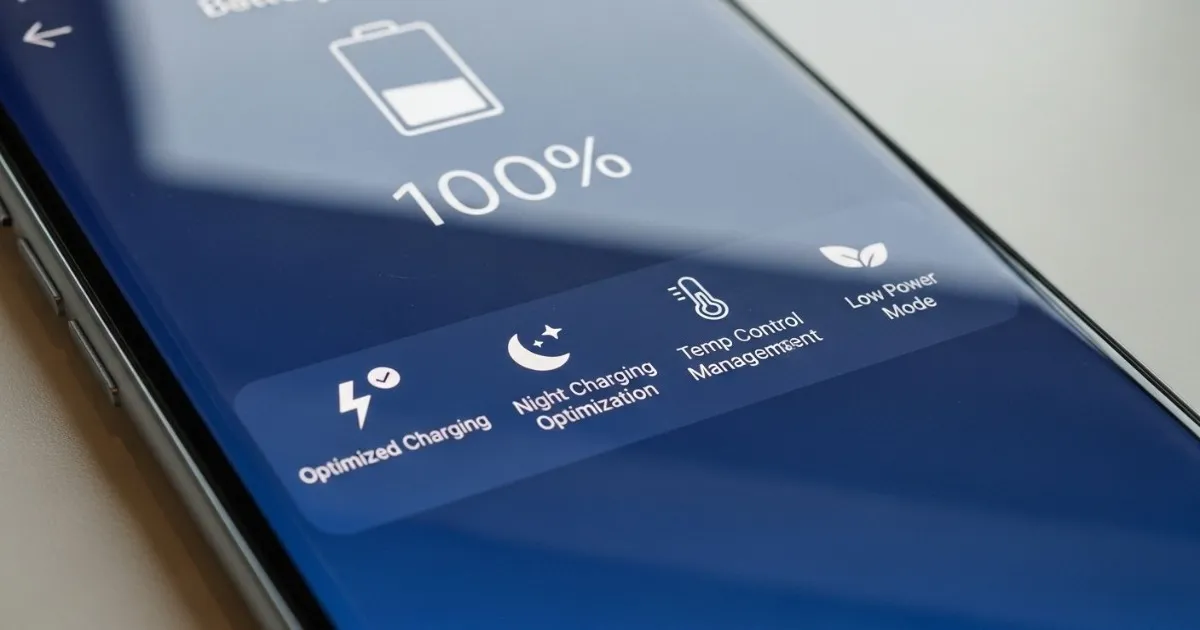
Introduction: The Fast-Charging Trade-Off
Here's the paradox of modern smartphones: they charge faster than ever, but that speed comes at a cost. The same 65W, 100W, or even 120W charging that gets you from empty to full in 30 minutes also generates heat—and heat is the enemy of lithium-ion batteries.
Your phone's battery is a consumable component. It will degrade over time. But how you treat it determines whether it lasts two years or four. With flagship prices now routinely exceeding €1000, those extra years matter.
This guide covers practical, science-backed methods to maintain battery health without giving up the convenience of fast charging. No myths, no snake oil—just what actually works in 2026.
Part 1: Understanding How Modern Batteries Work
Lithium-Ion Basics
Every smartphone uses lithium-ion battery technology. Inside each cell, lithium ions move between positive and negative electrodes during charging and discharging. Over time, this movement becomes less efficient. The battery's maximum capacity gradually decreases.
Two factors accelerate this degradation:
- Heat: High temperatures cause chemical reactions that permanently reduce capacity
- High voltage: Keeping a battery at 100% charge stresses the cells
Understanding these two factors explains almost every battery health tip that actually works.
The Silicon-Carbon Shift
The big news in 2026 is silicon-carbon battery technology. These batteries replace some of the graphite in traditional anodes with silicon, which can store more lithium ions. The result is higher energy density—more capacity in the same physical space.
Several Chinese brands now use silicon-carbon batteries to pack massive capacities into conventional body sizes. The Oppo Find X9 Pro reportedly delivers two to four days of moderate use. Nothing Phone (3) Pro leads some global rankings ahead of the Galaxy S26 Ultra and iPhone 17 Pro Max.
What this means for you: Silicon-carbon batteries handle fast charging better than traditional lithium-ion. They generate less heat and maintain capacity longer. If you're buying a new phone in 2026, silicon-carbon technology is worth seeking out.
Fast Charging Explained
Fast charging works by pumping more power into the battery—higher voltage, higher amperage, or both. A standard 5W charger delivers 5 watts. A 65W fast charger delivers 13 times that power.
The physics are straightforward: more power in less time = more heat. Some of that heat is managed by charging circuitry that slows down as the battery fills. But some heat inevitably reaches the battery cells.
The 80% rule: Most fast charging systems slow dramatically after 80%. Getting from 0-80% takes 20-30 minutes. Getting from 80-100% can take another 20-30 minutes. That's because the system reduces power to protect the battery.
Part 2: Daily Habits That Preserve Battery Health
Keep It Between 20% and 80%
This is the single most effective thing you can do. Lithium-ion batteries prefer partial charge cycles. Running down to 0% or charging to 100% regularly puts stress on the cells.
The sweet spot is keeping your battery between 20% and 80% for everyday use. Think of it as the battery's comfort zone. Straying outside occasionally is fine—that's what the buffer is for. But making a habit of full 0-100% cycles accelerates degradation.
Most flagships now include features that handle this automatically:
- iPhone: Optimized Battery Charging (learns your routine and waits to finish charging)
- Samsung: Battery Protect (stops charging at 80% when enabled)
- Google Pixel: Adaptive Charging (similar behavior for overnight charging)
- OnePlus: Smart Charging Control (learns your bedtime routine)
Turn these on in Settings and let the phone do the work. You don't need to hover over your charging progress—the system handles it.
Heat Is Still the Enemy
Even with better thermal management in 2026, heat remains the single biggest factor in battery degradation. High temperatures accelerate chemical aging inside the cells permanently.
Common heat traps to avoid:
- Leaving your phone on a car dashboard in direct sunlight
- Wireless charging overnight in a warm room (wireless charging generates more heat than wired)
- Gaming or recording 4K video while plugged in
- Keeping your phone in tight pockets during extended use
- Using fast charging in hot environments
If your phone feels noticeably warm, give it a break. Let it cool down before resuming heavy use. Performance throttling isn't the system slowing you down—it's protecting the battery.
Fast Charging: Use It Strategically
Fast charging is a tool, not a lifestyle. Use it when you need it, avoid it when you don't.
At your desk or overnight, a 10W or 15W charger is actually better for long-term battery health than the 65W brick that came with your phone. Reserve the high speeds for when you genuinely need a quick top-up before heading out.
The practical approach:
- Keep a slow charger at your desk and bedside
- Use the fast charger in your bag for travel and emergencies
- When you do use fast charging, avoid using the phone heavily while it charges
Certified Accessories Matter
Cheap, uncertified chargers and cables can deliver unstable voltage. Over time, that inconsistency can damage charging circuitry and stress the battery.
Stick with:
- iPhone: MFi-certified (Made for iPhone) accessories
- Android: USB-IF certified products
- Original manufacturer: Samsung's original chargers, Google's Pixel chargers, etc.
The few extra dollars for certified accessories is cheap insurance for a €1000+ device.
Nighttime Charging Is Fine (With Smart Charging On)
The old advice about never charging overnight is outdated. Modern phones have adaptive algorithms that pause charging at around 80% and resume right before you typically wake up. This minimizes the time the battery spends at high voltage.
Just make sure:
- Your phone is in a well-ventilated area—not under your pillow or blanket
- Smart charging features are enabled in Settings
- The room isn't excessively warm
Avoid Deep Discharges
Letting your phone die completely—shutting down from 0% battery—puts stress on the cells. It's not catastrophic occasionally, but making it a habit accelerates degradation.
Try to plug in before you hit 10-15%. Your battery will thank you.
Part 3: Manufacturer-Specific Features
iPhone: iOS Battery Management
Apple's battery management is the most mature in the industry. Key features:
- Optimized Battery Charging: Settings > Battery > Battery Health & Charging > Optimized Battery Charging. Learns your daily routine and holds charge at 80% until just before you typically wake up.
- Adaptive Power Mode (iOS 26): Settings > Battery > Power Mode > Adaptive Power Mode. Uses on-device intelligence to predict when you'll need extra battery power based on recent usage patterns, then makes subtle performance adjustments.
- 80% Limit (iPhone 15 and newer): Settings > Battery > Battery Health & Charging > 80% Limit. For users who want complete control, this hard-stops charging at 80% regardless of routine.
Battery health monitoring: iOS now provides battery health readings in Settings, including maximum capacity and whether the battery needs service.
Samsung: One UI Battery Protection
Samsung offers three levels of battery protection:
- Basic: Charges to 100% but uses AI to pause charging overnight
- Adaptive: Charges to 80% normally, learns your routine to occasionally charge to 100% before you wake
- Maximum: Hard-stops at 80% regardless of routine
How to enable: Settings > Battery and device care > Battery > Battery protection. Choose your preferred level.
Samsung's approach prioritizes flexibility. Power users who need every drop of capacity can use Basic. Those optimizing for longevity can use Adaptive or Maximum.
Google Pixel: Adaptive Charging
Pixel's approach is simpler but effective:
- Adaptive Charging: Settings > Battery > Adaptive Charging. Works like Optimized Battery Charging—learns your alarm and charging habits to complete charging just before you wake.
- Adaptive Battery: Settings > Battery > Adaptive Battery. Learns which apps you use most and limits battery for infrequently used ones. This preserves battery health by reducing unnecessary drain.
Battery information: Settings > Battery > Battery information shows estimated capacity and charging behavior.
OnePlus: Smart Charging Control
OnePlus's OxygenOS includes intelligent charging features:
- Smart Rapid Charging: Settings > Battery > Smart Rapid Charging. Optimizes fast charging to reduce heat without sacrificing speed.
- Nighttime Charging Optimization: Settings > Battery > Nighttime Charging Optimization. Learns your sleep schedule and adjusts charging behavior accordingly.
- Battery Health: Settings > Battery > Battery Health shows cycle count and estimated capacity.
Xiaomi and Others
Chinese manufacturers increasingly include battery protection:
- Xiaomi/HyperOS: Settings > Battery > Battery Protection. Options include scheduled charging and nighttime optimization.
- Oppo/ColorOS: Settings > Battery > Battery Health. Features include optimized night charging and battery capacity display.
- Vivo/Funtouch OS: Settings > Battery > Battery Protection. Similar features with regional variations.
Part 4: Long-Term Storage Guidelines
If You're Not Using the Phone
Sometimes you need to store a phone for weeks or months—while traveling, as a backup, or before selling. Proper storage matters.
- The 50% rule: For long-term storage, charge or discharge the phone to 50%. A fully charged battery stressed by storage; a completely empty battery can fall into deep discharge and become unrecoverable.
- Cool, dry place: Store the phone in a cool, dry environment. Ideal temperature is around 15-20°C (59-68°F). Avoid attics, garages, or anywhere subject to temperature extremes.
- Power off: Turn the phone off completely before storing. This prevents background processes from slowly draining the battery.
- Check every 6 months: If storing for extended periods, check the battery level every 6 months and recharge to 50% if needed.
Before Selling or Trading
If you're selling or trading your phone, proper battery preparation matters:
- Charge to 50-60% (shows the phone works without stressing the battery)
- Factory reset the phone (removes your data and resets battery stats)
- Power off before handing over
A phone with a well-maintained battery sells for more—and you're helping the next owner start with a healthy device.
Part 5: Common Myths That Won't Die
Myth: You Should Fully Drain Your Battery Monthly
This was true for older nickel-cadmium batteries. For modern lithium-ion, it's actively harmful. The "calibration" advice is outdated—modern battery management systems don't need it.
Myth: Overnight Charging Destroys Batteries
Not anymore. Smart charging algorithms handle it. Just keep the phone ventilated and ensure smart charging is enabled.
Myth: You Should Never Use Your Phone While Charging
Using your phone while charging generates extra heat—that's the real problem. Light use (reading, browsing) is fine. Heavy use (gaming, video recording) while fast charging creates excess heat that stresses the battery.
Myth: Wireless Charging Is Always Bad
Wireless charging generates more heat than wired, but modern systems manage it well. For overnight charging, wireless is fine. For fast top-ups, wired is better.
Myth: 100% Health Is Worth Obsessing Over
A battery at 90% health performs nearly as well as one at 100%. Focus on real-world endurance, not the percentage in Settings. If your phone still lasts the day, the number doesn't matter.
Myth: Third-Party Chargers Are Always Dangerous
Certified third-party chargers are fine. Uncertified, no-name brands are the problem. Look for USB-IF certification or MFi certification.
Myth: Fast Charging Will Destroy Your Battery in Months
Modern fast charging is intelligent. Systems monitor temperature, adjust power delivery, and slow down as the battery fills. Used strategically, fast charging has minimal impact on long-term health. Used exclusively, it accelerates degradation—but not as dramatically as some claim.
Part 6: When to Replace Your Battery
Signs It's Time
Your battery needs replacement when:
- Capacity drops below 80%: Most manufacturers consider this the threshold for replacement
- Significant screen-on time reduction: If you used to get 8 hours and now get 4, it's time
- Unexpected shutdowns: The phone dies while showing 20-30% remaining
- Slow charging: Takes significantly longer than when new
- Excessive heat: Phone gets unusually warm during normal use
How to Check Battery Health
- iPhone: Settings > Battery > Battery Health & Charging > Maximum Capacity
- Samsung: Settings > Battery and device care > Battery > Battery health (Samsung hides this deeper; you may need to tap "More battery settings")
- Google Pixel: Settings > Battery > Battery information > Battery health
- OnePlus: Settings > Battery > Battery Health
- Xiaomi/HyperOS: Settings > Battery > Battery Health
Replacement Options
When replacement is needed:
- Manufacturer replacement: Most expensive, but guarantees genuine parts and proper installation. Samsung charges around €80-100. Apple charges €100-120 for out-of-warranty replacement.
- Authorized service centers: Often cheaper than manufacturer stores, still use genuine parts.
- Third-party shops: Cheapest option, but quality varies. Risk of non-genuine parts or improper installation.
- DIY replacement: Only for experienced users. Requires specialized tools and carries risk of damaging the phone.
The EU's Right to Repair Impact
EU legislation now requires manufacturers to provide repair information and spare parts for up to 7 years after a model's release. This makes battery replacement easier and potentially cheaper, even for older phones.
If you're in the EU, check whether your phone qualifies for manufacturer-supported battery replacement before going third-party.
Part 7: The 2026 Battery Landscape
Silicon-Carbon Advantages
Silicon-carbon batteries offer three advantages for health-conscious users:
- Higher energy density: More capacity in same space means less stress during daily use
- Better thermal management: Silicon handles heat better than graphite
- Longer cycle life: Early tests suggest silicon-carbon batteries maintain capacity longer
If you're buying a new phone in 2026, silicon-carbon technology is worth prioritizing.
What's Coming Next
Research continues on solid-state batteries, which promise even better safety and longevity. Toyota and other manufacturers target 2027-2028 for commercial deployment in vehicles; phones will follow later.
For now, silicon-carbon represents the state of the art.
Samsung's Efficiency Trade-Off
EU energy labels reveal something interesting: the Galaxy S26 may retain 80% health after 1,200 cycles versus 2,000 cycles for the S25. Samsung appears to be optimizing for immediate performance rather than long-term longevity.
If you keep phones for 3+ years, this matters. A battery that degrades faster means earlier replacement or reduced daily endurance.
Frequently Asked Questions
Should I avoid fast charging entirely?
No. Use it when you need it, avoid it when you don't. A slow charger for overnight, fast charger for emergencies.
Does wireless charging damage the battery?
Wireless charging generates more heat than wired, which can accelerate degradation. Fine for convenience, but if you're optimizing for long-term health, wired slow charging is better.
How often should I replace my battery?
When capacity drops below 80% and you notice significantly shorter screen-on time. For most users, that's 2-3 years.
Does dark mode save battery?
On OLED screens, yes—pixels are actually off for black areas. On LCD, the difference is minimal. This extends daily battery life, not long-term health, but reducing daily drain means fewer charge cycles, which helps longevity.
Are cheap fast chargers okay?
No. Uncertified chargers risk unstable voltage and can damage charging circuits. Stick with original or certified third-party.
Does 5G affect battery health?
5G itself doesn't degrade the battery, but weak 5G signals cause the phone to work harder to maintain connection, which generates heat. In weak signal areas, switching to LTE reduces heat and stress.
How long should a battery last?
Typical lithium-ion batteries are rated for 500-800 full charge cycles before dropping below 80% capacity. For most users, that's 2-3 years. Silicon-carbon batteries may last longer.
Is it bad to charge to 100% overnight?
Not with smart charging enabled. The phone holds at 80% until just before you wake, minimizing time at high voltage. Without smart charging, yes—keeping the battery at 100% for hours stresses the cells.
Can I use my phone while fast charging?
Light use is fine. Heavy use (gaming, video recording) while fast charging generates excess heat that stresses the battery. If you must use it heavily, use a slow charger.
Does battery health monitoring matter?
It's useful for tracking degradation and knowing when replacement is needed. But obsessing over the exact percentage is counterproductive. If your phone still lasts the day, the number doesn't matter.
Conclusion: Small Habits, Big Differences
Your phone's battery will degrade over time—that's physics, not failure. But how quickly it degrades is largely within your control.
The principles are simple:
- Keep it between 20% and 80% when practical
- Avoid heat
- Use fast charging strategically
- Enable smart charging features
- Use certified accessories
A phone that's treated well won't just last longer each day—it'll run cooler, stay more reliable, and serve you well into its third or even fourth year. With flagship prices now routinely exceeding €1000, those extra years are worth protecting.
The habits that preserve battery health aren't complicated. They don't require constant monitoring or sacrifice. They just require understanding what actually matters—and ignoring the myths that don't.
Related Guides
- Best Premium Smartphones to Buy in 2026 (Performance + Camera + Battery Ranked)
- Is Expensive Flagship Technology Really Worth It? Honest Buying Guide
- How to Save Battery Life on Flagship Phones — 2026 Working Methods
- How to Choose the Best Camera Phone for Photography in 2026
- 5 Things You Must Check Before Buying a €1000+ Smartphone
- Why Flagship Phones Are Getting More Expensive Every Year
- Android Flagship vs Ecosystem Phones — Which Is Better for You?