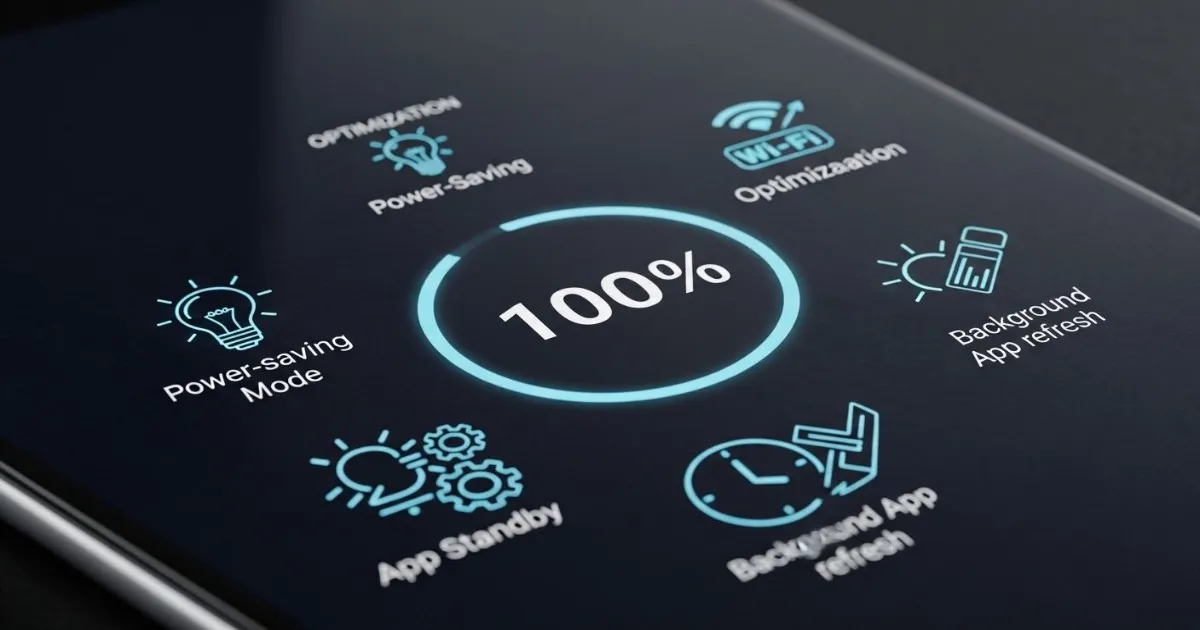
Introduction: Why Battery Anxiety Persists
Some nights you plug in your phone and watch the percentage climb. Other nights you're at 15% with two hours left and no charger in sight. Even in 2026, with smarter batteries and faster charging, the gap between what we need and what our phones deliver remains.
Here's the thing about modern smartphone batteries: they're more resilient than you think, but also more sensitive than most people realize. The lithium-ion cells inside your flagship phone will age with every charge cycle, but how you treat them determines whether they last two years or four.
This guide covers practical, science-backed methods to extend both your daily battery life and your battery's long-term health. No myths, no snake oil—just what works in 2026.
Part 1: Daily Habits That Actually Matter
Keep It Between 20% and 80%
Modern lithium-ion batteries prefer partial charge cycles. Running down to 0% or charging to 100% regularly puts stress on the cells. The sweet spot is keeping your battery between 20% and 80% for everyday use.
Most flagships now include features that handle this automatically:
- iPhone: Optimized Battery Charging (learns your routine and waits to finish charging)
- Samsung: Battery Protect (stops charging at 80% when enabled)
- Google Pixel: Adaptive Charging (similar behavior for overnight charging)
Turn these on in Settings and let the phone do the work. You don't need to hover over your charging progress—the system handles it.
Heat Is Still the Enemy
Even with better thermal management in 2026, heat remains the single biggest factor in battery degradation. High temperatures accelerate chemical aging inside the cells.
Common heat traps to avoid:
- Leaving your phone on a car dashboard in direct sunlight
- Wireless charging overnight in a warm room (wireless charging generates more heat than wired)
- Gaming or recording 4K video while plugged in
- Keeping your phone in tight pockets during extended use
If your phone feels noticeably warm, give it a break. Let it cool down before resuming heavy use. Performance throttling isn't the system slowing you down—it's protecting the battery.
Fast Charging: Use Strategically
Fast charging is convenient, but it generates more heat than slow charging. At your desk or overnight, a 10W or 15W charger is actually better for long-term battery health. Reserve the 45W, 60W, or 100W speeds for when you genuinely need a quick top-up before heading out.
Also, use certified chargers and cables. MFi-certified for iPhones, USB-IF certified for Android. Cheap, uncertified accessories can deliver unstable voltage, which over time can damage charging circuitry.
Nighttime Charging Is Fine (With Smart Charging On)
The old advice about never charging overnight is outdated. Modern phones have adaptive algorithms that pause charging at around 80% and resume right before you typically wake up. This minimizes the time the battery spends at high voltage.
Just make sure your phone is in a well-ventilated area—not under your pillow or blanket—and the smart charging features are enabled in Settings.
Don't Obsess Over 100% Health Readings
Battery health readings are useful, but not gospel. A battery at 90% health can still perform nearly as well as one at 100%. Focus on real-world endurance—how long your phone lasts through the day—rather than chasing perfect percentages. If your phone drops below 80% capacity and it's affecting usage, that's when to consider a replacement battery.
Keep Software Updated
Battery efficiency is increasingly managed by software, not just hardware. Apple and Google regularly push updates that improve background task handling and charging logic. Skipping updates can mean missing out on better battery optimization.
Part 2: Settings That Make a Real Difference
Android: Two Hidden Scanning Settings That Drain Battery
Android Police reports that disabling Wi-Fi and Bluetooth scanning can significantly improve battery life, especially when you're out and about. These settings continuously search for networks and devices even when Wi-Fi and Bluetooth are turned off, consuming power without providing much real-world benefit.
How to disable them:
- Go to Settings > Location
- Scroll to Location services (usually at the bottom)
- Tap Wi-Fi scanning and Bluetooth scanning
- Toggle both off
One user reported their battery life nearly doubled after making this change, particularly when away from home Wi-Fi. The phone stops constantly searching for networks to connect to, saving significant power.
Android 16's New Adaptive Connectivity Features
With Android 16, Google has split its adaptive connectivity settings into two distinct toggles for more granular control:
- Auto switch to mobile network: Automatically transitions to cellular if Wi-Fi is unavailable
- Optimize network for battery life: Selects the most efficient network connection to extend battery life
Enabling the second toggle helps your phone prioritize networks with the strongest signal, preventing the battery drain that comes from maintaining weak or fluctuating connections. Both features are enabled by default in recent Android versions, but it's worth verifying they're active.
Android Manufacturer-Specific Optimizations
Different Android skins have different power management approaches:
Additional Android Tweaks That Work
- Choose dark wallpapers: On OLED screens, dark pixels consume significantly less power. Using dark wallpapers and themes can meaningfully reduce battery drain.
- Reduce screen timeout: Keeping the display on unnecessarily drains battery. Set auto-lock to 30 seconds or 1 minute.
- Restrict background activity: Many apps continue running even when not in use. Android lets you manually restrict background activity for apps that don't need constant updating.
- Disable "Hey Google" detection: The constant voice listening consumes energy. If you don't use it frequently, turn it off.
- Limit notifications: Each notification wakes the screen and processor. Silence alerts from unimportant apps.
- Download for offline use: Streaming music, videos, or podcasts keeps radios active and drains battery. Download content when on Wi-Fi for offline playback.
iPhone: iOS Settings That Extend Battery Life
iOS 26's Adaptive Power Mode
The biggest battery innovation in 2026 is Adaptive Power Mode, available on iPhone 15 Pro and newer (including iPhone 16, 17, and Air models).
Unlike Low Power Mode, which is like "austerity measures"—uniformly limiting performance, reducing brightness, and disabling background activity—Adaptive Power is like "everyday savings." It uses on-device intelligence to predict when you'll need extra battery power based on recent usage patterns, then makes subtle performance adjustments to help your battery last longer.
How it works:
- Takes about a week to analyze your usage behavior
- Dynamically adjusts CPU, GPU, and display resources based on actual needs
- During light tasks like reading or web browsing, consumption drops
- During gaming or video editing, performance stays at maximum
- Works in the background without any manual management
To enable it:
Settings > Battery > Power Mode > toggle on Adaptive Power Mode
(iPhone 17 series has it on by default)
The difference from Low Power Mode:
- Low Power Mode: Cuts 5G, shortens auto-lock, dims screen, pauses background sync—can slow down games and demanding apps
- Adaptive Power Mode: Predicts power needs, adjusts intelligently, preserves performance when needed—think of it as daily savings versus emergency austerity
Other effective iOS tweaks:
Display settings matter most:
- Lower brightness by 10-20% for noticeable gains
- Enable Auto-Brightness: Settings > Accessibility > Display & Text Size
- Disable Always-On Display on compatible models: Settings > Display & Brightness
Network optimizations:
- Use Wi-Fi instead of cellular when possible
- In weak 5G areas, switch to LTE: Settings > Cellular > Cellular Data Options > Voice & Data > LTE
- Disable Wi-Fi Assist to prevent auto-fallback to cellular: Settings > Cellular
Other effective tweaks:
- Disable keyboard haptics: Settings > Sounds & Haptics > Keyboard Feedback
- Turn off "Hey Siri" if rarely used: Settings > Siri > Talk to Siri > Off
- Reduce notifications for high-churn apps: Settings > Apps > [App] > Notifications
- Limit AirDrop's "Bringing Devices Together": Settings > General > AirDrop > disable
- Suppress Live Activities on lock screen: Settings > Face ID & Passcode > toggle off Live Activities under Allow Access When Locked
iOS 26's weekly battery monitoring:
New in iOS 26 is weekly battery reporting. Instead of 24-hour graphs, you now see weekly consumption averages with comparisons to typical usage. Apps that drain more than usual appear in orange, with explanations about whether the cause is background activity, screen time, or excessive notifications.
Intelligent notifications:
When an app drains more energy than normal in the background, iOS alerts you in real-time. From the notification, you can close the app, limit background activity, or jump directly to battery settings.
Part 3: Understanding the 2026 Battery Landscape
Silicon-Carbon Batteries Are Changing the Game
The big shift in 2026 is the move toward silicon-carbon battery technology. These batteries offer higher energy density without increasing physical size. Several Chinese brands have been pushing massive batteries into relatively conventional body sizes by leveraging this technology.
The Oppo Find X9 Pro reportedly packs a massive battery that delivers exceptional endurance. Nothing Phone (3) Pro leads some global rankings ahead of the Galaxy S26 Ultra and iPhone 17 Pro Max. The goalposts are moving—some manufacturers are targeting 10,000 mAh in relatively conventional body sizes.
Samsung's Efficiency-First Philosophy
While some brands chase massive mAh numbers, Samsung is playing a different game: optimizing system efficiency. The thinking is straightforward: a system that sleeps well, limits background activity intelligently, and adjusts performance thoughtfully can make a standard battery perform like a larger one.
In practice, this philosophy shows up in two areas:
- Process control: One UI actively manages what runs in the background without permission
- Display optimization: Adaptive refresh rates and fine-tuned brightness management
The bet is that users notice stable autonomy over time, not just impressive numbers on launch day.
iPhone 17's Hardware Advances
For iPhone 17 models, Apple is introducing several hardware improvements:
- 5,000 mAh battery on Pro Max: Significantly larger capacity means lower C-rate, better thermal stability, and less performance throttling under load
- Silicon-anode batteries on iPhone 17 Air: Higher energy density at the same volume—ideal for thin-and-light designs
- A19 Pro chip: 3nm process with more efficient distribution between CPU, GPU, and Neural Engine
- Advanced thermal management: New materials with higher conductivity, potentially vapor chamber technology on Pro models to maintain stable temperatures under load
The combination means more sustained performance in gaming, 4K recording, and AI workloads, plus better long-term battery health.
Part 4: Common Myths That Won't Die
Myth: You Should Fully Drain Your Battery Monthly
Not true for modern lithium-ion. Partial charges are better. The "calibration" advice is outdated.
Myth: Overnight Charging Destroys Batteries
Not anymore. Smart charging algorithms handle it. Just keep the phone ventilated.
Myth: Task Killer Apps Help
They often make things worse by forcing apps to restart. Let the OS manage background processes.
Myth: 100% Health Is Worth Obsessing Over
A battery at 90% health performs nearly as well as one at 100%. Focus on real-world endurance, not the percentage in Settings. If your phone still lasts the day, the number doesn't matter.
Frequently Asked Questions
Should I avoid wireless charging?
Wireless charging generates more heat than wired. Fine for convenience, but if you're optimizing for long-term health, wired slow charging is better.
Does dark mode save battery?
On OLED screens, yes—pixels are actually off for black areas. On LCD, the difference is minimal.
How often should I replace my battery?
When capacity drops below 80% and you notice significantly shorter screen-on time. For most users, that's 2-3 years.
Are cheap fast chargers okay?
No. Uncertified chargers risk unstable voltage and can damage charging circuits. Stick with original or certified third-party.
Does 5G always drain more?
In strong signal areas, the difference is modest. In weak signal areas, the phone works harder to maintain connection and drain increases significantly. Switch to LTE in those situations.
What's the difference between Low Power Mode and Adaptive Power Mode?
Low Power Mode is "austerity measures"—uniformly limiting performance and features. Adaptive Power is "everyday savings"—intelligently adjusting based on predicted needs. Use both: Adaptive Power always on, Low Power Mode when you're running low.
How long does Adaptive Power take to learn my habits?
About a week. The system needs time to analyze your usage patterns before it can effectively predict and optimize.
Conclusion
Extending your flagship phone's battery life in 2026 comes down to a few core principles:
- Avoid extreme temperatures
- Keep charge between 20-80% when practical
- Use fast charging strategically
- Enable built-in smart charging features
- Turn off hidden scanning settings
- Let the system learn your habits
The good news is modern phones are smarter than ever. Enable the built-in protections, turn off the hidden scanning settings, and let the system do most of the work. Your battery—and your future self—will thank you.
A phone that's treated well won't just last longer each day—it'll run cooler, stay more reliable, and serve you well into its third or even fourth year.
Related Guides
- Best Premium Smartphones to Buy in 2026 (Performance + Camera + Battery Ranked)
- Is Expensive Flagship Technology Really Worth It? Honest Buying Guide
- How to Choose the Best Camera Phone for Photography in 2026
- 5 Things You Must Check Before Buying a €1000+ Smartphone
- Why Flagship Phones Are Getting More Expensive Every Year
- Battery Health Tips for Modern Fast-Charging Smartphones
- Android Flagship vs Ecosystem Phones — Which Is Better for You?